peterigz

Forum Replies Created
-
AuthorPosts
-
peterigzKeymasterHi, I just upgraded my Windows to version 1908 and everything seems to load ok, I cannot recreate this error.
peterigzKeymasterHow about this for some flies. There’s a couple of variations, you can just adjust the amount and the velocity overtime to play with how erratic they are. The last variation has a small amount of stretch. The first 2 effects use a point effect with splatter, and the last 2 just use an area effect.
I made the flies quite dark so change the background to 50% grey so you can see them. I’m also just using a very simple circle shape so you can maybe find a better shape to use but a circle still works reasonably well I think.
Download here: https://www.rigzsoft.co.uk/files/flies.eff
peterigzKeymasterHi, sorry for delay, I’ll see if I can put something together over the weekend.
peterigzKeymasterIt will probably be dark by default I think 🙂
peterigzKeymasterAt the moment I’m concentrating on a new version of TimelineFX so all my time is currently going into that, were there any particular effects you were looking for?
peterigzKeymasterThis might be a scaling issue when using high dpi monitors, take a look at this thread about running timeline fx in compatibility mode: https://www.rigzsoft.co.uk/forums/topic/animation-properties-exporter-windows-are-unresizable/
peterigzKeymasterHere’s an example that you might help: SwingBox
Basically, i set the handle of the box (on the particle tab) to the top middle. Set the starting angle to 90, then use spin and spin overtime.
To adjust the speed of the swing, concentrate on the lifetime and the spin graph. You can probably leave spin overtime alone. I set it up in the animation properties as well and the animation seems to loop ok. It’s not perfect and you might have to experiment but hopefully it gives you an idea, I’ve never tried an animation like this before!
peterigzKeymasterUnder the file menu, there are import options where you can flag full colour which should do the trick. So as long as File > Import Options > Full Colour is checked then any shapes you import will be full colour.
peterigzKeymasterThanks for reporting how to fix dreamstrata. Supposedly the manifest of the program does have the “High dpi aware” flag, but it doesn’t seem to work for some reason. I think I’ll treat myself to a 4k monitor soon and try and recreate and fix the issue without needing the work around!
peterigzKeymasterHi, do you have a 4k monitor by chance? I have a feeling this might be something to do with dpi settings.
peterigzKeymasterHmm definitely very odd. And you’re definitely on MacOs? I just deleted and re-downloaded again just to make sure, here are the screenshots of what you should see:
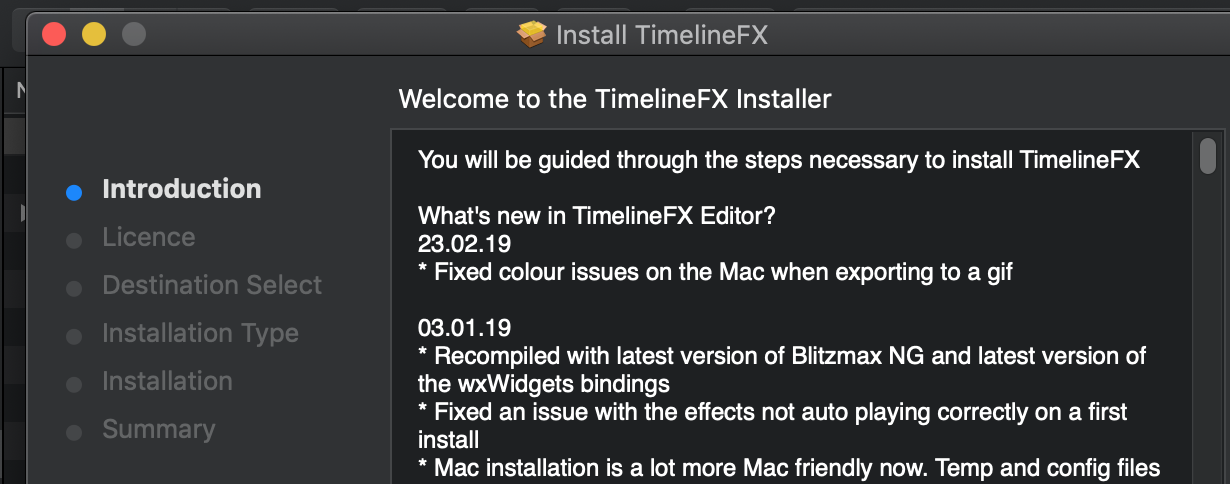
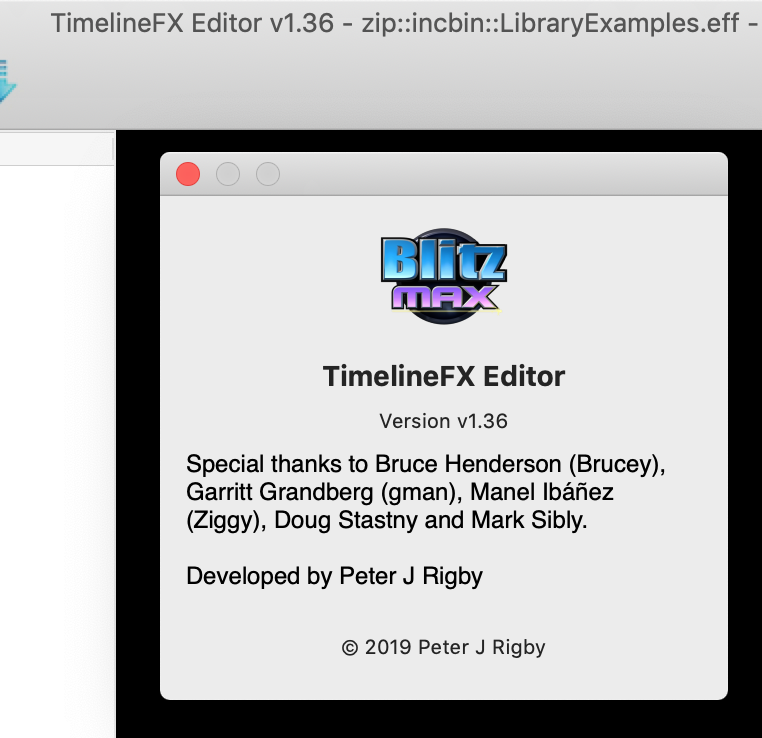
Is maybe your browser doing something strange and downloading a cached version or to another location maybe?
peterigzKeymasterThat’s odd, I just double checked and the link does go to the right version, here’s a direct link: https://www.rigzsoft.co.uk/files/TimelineFX.pkg
You can also try deleting TimelineFX from your applications folder as well just incase for some reason the installer is not overwriting the old version (although it should do). When you run the installer the what’s new bit should have the change at the top:
23.02.19
* Fixed colour issues on the Mac when exporting to a gif
peterigzKeymasterHmm that’s odd, what version of macos do you have? And the editor definitely says 1.36?
And do pngs export correctly?
-
This reply was modified 7 years, 1 month ago by
peterigz.
peterigzKeymasterI have uploaded a new version, see the downloads page to get the latest version: https://www.rigzsoft.co.uk/download-timelinefx/
I changed the pixel format for gifs on mac and it has fixed the issue here, let me know if it works ok. I also noticed that MacOS is now warning about apps that are still 32bit, but I should be able to start compiling a 64bit version in the next update. Windows version is already 64bit.
peterigzKeymasterHi, I’ll take a look at that, the Mac seems to be a bit funny about colors sometimes but if I can recreate here I should be able to fix.
-
This reply was modified 7 years, 1 month ago by
-
AuthorPosts
