TimelineFX Particle Editor
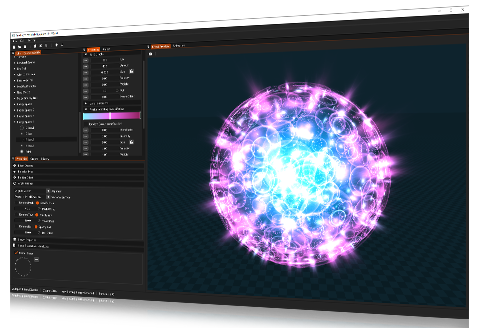
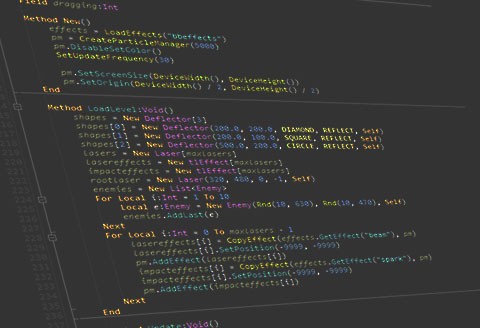
The TimelineFX Particle Editor is a complete solution for creating a full range of particle effects for your games and applications. Export the particle effects as static animations onto sprite sheets, animation strips or image sequences in PNG format, or if you develop for the iPhone or iPad, you can export using the PVRTC format (Mac only). If you program games using the powerful Blitzmax programming language, you can also use the effects directly using the TimelineFX Module.
Create an endless amount of different and varied particle effects including explosion effects, smoke effects, fire effects, water effects, steam effects, bubble effects, and much more! Animations can be easily configured to loop seamlessly with just one click of the mouse, and with another click, you can even make animations tile seamlessly too for use as animated textures.
If there's any specific questions about TimelineFX, then feel free to contact us by either sending an email to This e-mail address is being protected from spambots. You need JavaScript enabled to view it , or register on the forums and ask any questions there.
Runs on: Intel Mac OSX, Windows 2000/XP/Vista/7
Export your animations onto sprite sheets, animation strips or image sequences
Once you're happy with an effect, export it using the Animation Controls. Record frame sizes up to 8192 x 8192 with transparency, plus some very handy features such as:
- Loop Animation: With one click you can make your effects loop seamlessly!
- Make Seamless: Need to create animated textures that can be tiled seamlessly? No problem, just 1 check box and that's exactly what you'll get!
- Multiple Export Options: Render animations in full colour, grey scale, 1 colour alpha and more. Handy if you want to create animated particles for your own particle systems, or apply your own colours dynamically within your game. Additionally, you can save as a sprite sheet, where animation frames are kept in rows and columns, animation strips, or just a sequence of images saved separately.
- Handy Auto fit feature: One click and your animation be automatically resized to fit within your chosen frame size.
- Export to PVRTC format: For iPhone/iPad developers, export to this format enabling much higher performance on those hand held devices (Mac only)
Easily edit your particle effects
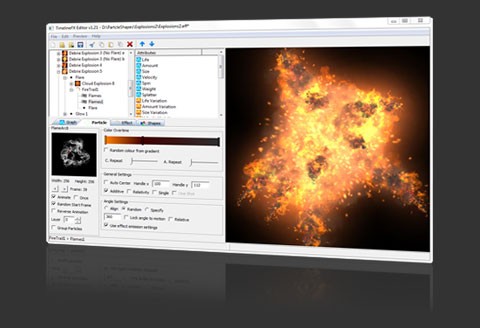
A full range of properties are available to fine tune all of the particle effects you create for your games. Change how particles are drawn on top of each other with an additive blend mode. Adjust how each particle's colour changes over time, plus, change angle, emission, particle shape settings and much more. All accessible with an easy to use interface, just adjust settings with a few clicks and instantly see your changes in the preview pane.
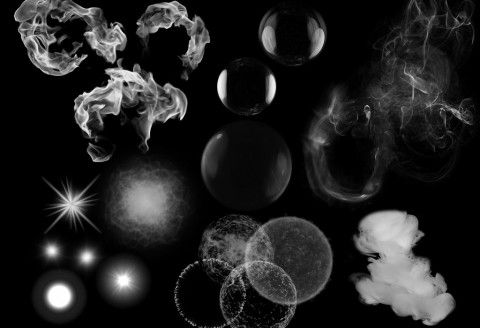
A particle shape is a bitmap which can be anything you desire for your effect. On top of that, they can also be animated to add even more depth and complexity to your particle effects to help your games come alive. Simply load in your shapes and assign them to any emitter you want, all properties you have set such as colour and blend mode will be instantly applied.
Total control using powerful graphs and attributes
The TimelineFX Particle Effect Editor uses a powerful graphing system to provide full control over your effects. This means that every aspect of your effects can be precisely controlled over the life time of the effect. Just select an attribute such as size overtime, and plot it's behaviour on the graph tab to easily make all the particles spawned by an emitter grow or shrink over the lifetime of the particle.
Many attributes are available for you to finely tune your particle effects, such as, amount, life, velocity, spin, stretch, alpha and many more.
Just plot all your points on the graph according to how you want your particles to behave, and if you want even more precise control, convert graph points to curves for even smoother results.
Plenty of effects libraries freely availble!
Make use of our royalty free Particle Effects, featuring explosions, smoke, fire, environmental effects like rain snow and wind, flares, auras and much more.
You can either make use of them as they are or use them as a basis and tweak them to suit your own needs as you see fit. Click here to go straight to the emitters download page. Simply download a library and load into the editor, make your changes and export.
New Particle Effect libraries are being added all the time so keep checking back to see what's new!
You've got our full support!
Ask any question you have on the forums before or after purchasing, or email This e-mail address is being protected from spambots. You need JavaScript enabled to view it and we'll do our best to help. Many features have already been implemented on the request of users, and many more are sure to come!
You can also check out the help section for the manual and tutorials, plus check out the newly added video tutorials for more insights into using the TimelineFX Particle Effects Editor.