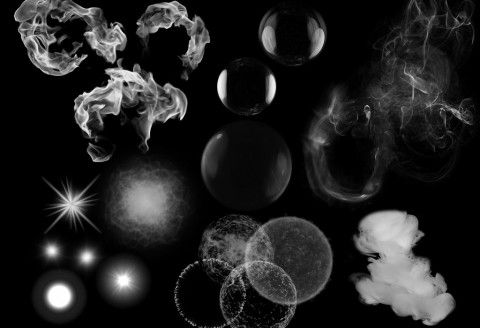
I’ve just released alpha version 38 which finally includes GPU simulated particles as an option in the editor under Emitter Options. It’s been a busy month setting this up but I’m very happy with the results so far. Pretty much everything that’s simulated on the CPU can now be simulated on the GPU with one or two exceptions. Here’s a copy/paste of what’s in the documentation regarding the new feature:
Running Emitters on the GPU
Any particle emitter can be moved onto the graphics card by checking Run on GPU under Emitter Options.
Once it’s on, a compute shader moves, ages and draws the emitter’s particles instead of the CPU. Most emission types also spawn their particles on the GPU, so the CPU only has to describe each spawn rather than build every particle. That makes it the right choice for emitters with a lot of particles: big bursts, dense smoke, rain, sparks and debris, where the CPU would otherwise be the bottleneck. A compute shader can simulate hundreds of thousands of particles in a fraction of a millisecond.
GPU and CPU emitters can be mixed freely in the same effect, so you only need to turn it on for the emitters that need it.
Where the Particles Spawn
Under the checkbox a line tells you where this emitter’s particles are spawned.
- Spawns on the GPU: The CPU only sends a short description of each spawn and the compute shader builds every particle itself, so a burst of 100,000 particles costs the CPU about the same as a burst of 10. This applies to the Point, User, Area, Ellipse, Disc, Cylinder and Line emission types, including grid emission, even distribution, every emission direction and stepped angle distributions.
- Spawns on the CPU: The CPU spawns the particles as normal and uploads them to the GPU, which then simulates them. Every spawn setting still works, but the cost of spawning grows with the number of particles spawned. This applies to the Icosphere, Path, Other Emitter and Spawn on Ribbon emission types.
Either way the particles look the same and behave the same once they’ve spawned.
What Works on the GPU
Everything that’s left switched on works the same as it does on the CPU:
- Every particle graph: size, velocity, weight, spin, color, intensity, alpha, image animation, and so on.
- Every force: wind, attract and repel, vortex (fluctuation included), shockwave and noise with all of its algorithms. A force that an older version of the editor muted, when the GPU only ran noise, stays muted until you switch it back on with its power button.
- Relative position: Relative particles follow the spawn location they were spawned at, including its rotation, and are removed when that location is removed.
- Per location rotation, size and velocity factors, and per location timing of forces.
- Warmup: The warmup is simulated on the CPU and the particles are handed over to the GPU when the effect starts.
- Layers: GPU particles are drawn after the CPU particles in the same layer.
- Other Emitter and Spawn on Ribbon emitters can run on the GPU, they just spawn on the CPU.
What Doesn’t Work on the GPU
- Line and path traversal, Path is Trajectory and Path Lifetime Sampling are switched off, as described above.
- Looping singles: the loop amount is fixed at 1.
- Sorting: GPU particles aren’t sorted by age or depth. If an effect is drawn in age or depth order, only its CPU emitters are sorted and GPU emitters aren’t ordered shows under the draw order options. If every particle emitter in the effect runs on the GPU, the draw order options are greyed out. Sort them in your own renderer if you need an order.
- Being another emitter’s source: an emitter that an Other Emitter spawns from has to stay on the CPU, because the CPU is the only place its particle positions exist. You can’t turn Run on GPU on for it, and a GPU emitter can’t be picked as an Other Emitter’s source (it shows as Run on GPU in the list and can’t be selected). If an emitter was already running on the GPU when it became a source, Running on the CPU shows under the checkbox until you turn it off.
- Relative ribbons: because the effect spawns at user spawn locations, the ribbons in the same effect stay anchored where they spawn, so their Relative Position and Lag are greyed out.
- Baking sprite data always simulates on the CPU, so the baked animation and exported sprite sheets look the same as the CPU simulation. See Sprite Data Overview.
The Spawn Locations and GPU section of the insights for an effect or emitter lists any of these that apply to it, with links to the properties involved.
GPU Capacity
Each GPU emitter gets a fixed amount of room on the graphics card when its effect starts, and that room never grows. GPU capacity under the checkbox shows how many particles that is. A particle that would go over it simply doesn’t spawn, so if an emitter looks like it’s spawning in bursts or has gaps in it, it’s running out of room.
The editor works the capacity out for you from the emitter’s settings: the peak of its spawn rate graphs and its longest possible particle life for a looping emitter, or the spawn amount plus variation for a single. Other Emitter and Spawn on Ribbon emitters also take into account how many particles or ribbons their source can have.
The capacity is for one spawn location. An effect that plays at many locations shares one set of room between all of them, so your game needs to raise it with tfx_SetTemplateEmitterGPUCapacity for effects that will play at a lot of locations at once.
Running GPU Emitters in Your Game
In your game the GPU emitters run with the compute shader that comes with the library (tfx_gpu_particles.slang). It’s written in Slang so it can be compiled for whichever graphics API your game uses. A few things to know:
- Your game sets the total number of GPU particles a stage can hold with gpu_particle_capacity when it creates the stage. Every GPU emitter’s room comes out of that. Emitters that start while it’s full get no room and spawn nothing. tfx_GetGPUParticleStats tells you when that happens, and when emitters drop spawns because they’re full.
- If gpu_particle_capacity is 0, or you turn GPU simulation off with tfx_SetStageGPUSimulation, the emitters run on the CPU instead and spawn exactly the same particles. That’s useful as a fallback on hardware that can’t run the compute shader.
- Your game can add its own per particle code to the compute shader, such as extra forces, collisions or its own spawn placement for the User emission type.
The User Emission Type
The User emission type lets your game place the particles itself, for example spawning them over a mesh, along a skeleton’s bones or from its own trail data. The library spawns the particle as a Point at the spawn location and then hands it to your game’s code to move it where it wants. On the GPU that’s your own spawn function in the compute shader, and on the CPU it’s a callback you set with tfx_SetStageSpawnCallback. tfx_SetSpawnLocationUserData lets you pass a value per location through to that code, such as which mesh to spawn from.
The editor doesn’t have your game’s spawn code, so it previews a User emitter as a Point.
Almost at beta
I think finally I’m almost ready to move into a beta release where I’ll be pushing it out a lot more. I think that I probably will have a free and paid for version of the editor and start that in the beta version. I want to do a lot more with post fx in the sprite sheet exporter and I might move the sprite data to the premium version too, but other then that everything will be enabled and you’ll be able to edit all your effects for real-time use in your games.
Here’s a full list of the changes:
- Fixed a crash where hard expiring an effect cause a race condition where the spawner could still be run after the particle list was freed.
- Added a sort key for effects so that they can be ordered by the user more easily.
- Added/Reworked udpating the stage to work better with fixed update loops where you want to keep the resolution of updates when updating more then once per frame.
- Fixed race condition when 2 threads try to allocate a new pool.
- Effect templates now re-apply their custom edits after a library refresh.
- Added a view shape context menu item on the shapes tab that let’s you view the full size shape image/animation.
- Reworked the spawn rate over distance so that it’s easier to use and also works with GPU simulation
- Fixed a crash when baking sprite data with user spawn locations checked.
- Particle simulation on the GPU.
- When loading a new library remnants of the old draw stay in the preview window.
- Disabled relative when the emission type is other emitter.
- Added back missing relative angle property for particle rotation.
- Fixed effect rotation not applying correctly to particles. Still needs looking at.
- Added new documentation for GPU simulation option.
- Autoplay effect options now work properly when user spawn location is checked.
- Added insights for GPU sim including features that won’t work because it’s selected.