Alpha 37 just got released with another bunch of bug fixes and new features for some more artistic control for rotations.
New rotation options for ribbons and particle emitters
I’ve added some new rotation types for ribbons and particle emitters other then just randomly rotating in a sphere.
- Random: Just as it was before, randomly rotate the ribbon or particle spherically, with an option to rotate around the y axis only for paths.
- Sequential: Rotate in a sequence in steps to evenly space the rotations. The offset can still be a random value but then each particle will pick the next step in a sequence. So you set it to 3 then each step will be 360/3 or 120 degrees apart. This is useful if you’re spawning a handful of particles on top of each other and you don’t want the rotation to land them with similar rotations when you can easily see that it’s just the same texture repeated. Instead you’re guaranteeing that the particle rotations will be spaced enough that this won’t happen.
- Ping Pong: This is the same as sequential but the sequence bounces between the range.
- Shuffled: This will use the same rotation steps as sequence but just randomly shuffle between the values rather then increment over them.
Note that sequential, ping pong and shuffled do the rotation on a disc rather then in sphere so a good idea is the check the new option under Emitter Options called “Orient to Camera on Creation” so that it doesn’t look flat or off kilter if that’s not what you want.
For ribbons these options can be found under Path Settings. For particle emitters the options are in three of places:
- Particle Rotation and Alignment: where you can change how the particle shapes are rotated.
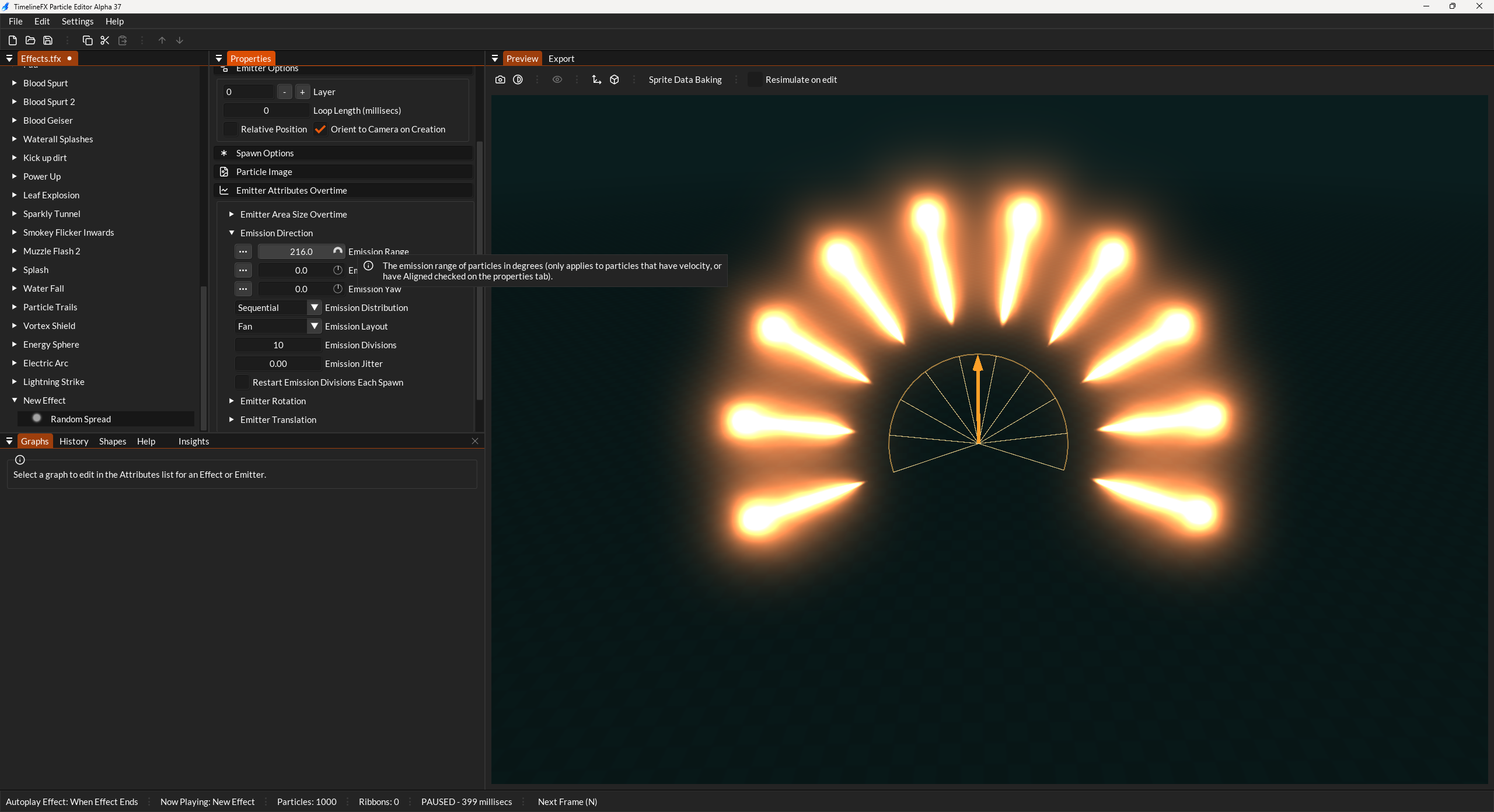
- Emission Direction: where you can affect the emission direction of particles sequentially. Emission Type must have Emission Direction set to specific. You can also choose between Fan, Ring and Cap for even greater control over the distribution.
- Path Settings: Same as ribbons, you can sequence the rotation of paths as well.
Single spawn gets a decay curve
The single spawn option is used to spawn a fixed amount in one go but if you wanted to have a quick burst with a falloff over a few frames then you had to rely on drawing that falloff on the amount graph which could be a bit fiddly, so I’ve added Decay Amount, Decay Time and Decay Shape.
Set the Decay amount to be the exact amount of extra particles you want to spawn over the Decay Time in milliseconds that you set. Then you can alter the decay shape for the kind of envelope that you want from constant, linear or various amounts of ease in/out.
New widget indicators in the preview tab.
When editing emission direction and forces, when you hover any of the settings you’ll see a widget show in the preview tab to make it easier to see how your changes are affecting things. These widgets are a work in progress and I’ll try and make them look better overtime.
I’ve also improved the look of the emission type wireframes for ellipse, disc, icoshphere and cylinder.
Spawn rate over distance
This new attribute found under Spawn Rate allows you to increase the amount of particles that are spawned when the emitter is moving. Useful for particle trails where at stand still you don’t need so many, but then when the effect moves in the world you don’t want gaps in the trail so you can use this to spawn more and avoid those gaps.
New fluxuation options for Vortex force
I wanted the vortex force to have more turbulence other then just adding noise so initially I created a new force called Blender which was like shockwave but it had wavefronts that rotated like a blender but it just didn’t work that great. Instead I went with a new option under the Vortex force that lets you add “Lobes” that behave in a similar way to add random turbulence to the vortex which I think works well.
Here’s the full list of all the changes in this release:
- Make sure that spawn locations work with the library refresh.
- Added ribbon rotation options for more artistic control.
- Added rotation spacing options for particle rotations so instead of random range incremental jumps in degrees.
- Cleanup up the emission direction orientations.
- Added a feature for the single spawn to have a decay rate over frames.
- Added fan, ring and cap emitter distribution for more artistic control over emission direction
- Can we make emitters with path emission work with user spawn locations?
- Add other emission types for ribbons? Static should at least become point emission.
- Emission direction now draws widgets on hover active to help see where the direction is.
- Forces now draw widgets on hover/active to help see where the direction of the force is.
- Improved the look of some of the area widgets like ellipse and cylinder. They also show on hover/active too.
- Added a feature that increases spawn rate by a factor depending on the distance travelled since the last frame.
- Added functionality to reload a shape from disk.
- Version bumps for effects only happen if something actually changed.
- Added feature to the vortex force to allow for fluxuations in the force.
- Implemented generations for effect ids for better tracking when they expire and guard against adjusting stale effects.
- Fixed a crash on linux with AMD’s open-source Linux driver, RADV (Mesa)
- Refactored the user spawn location tweaks so they’re more efficient.
- Expanded on the spawn location tweaks to include other things like line/area size, intensity.
- Added tfx_SetEffectRotation which takes a quaternion.
- Change the slider under vortex force so that it’s easier to slide.
- Added missing/incorrect insights
- Cleaned up API functions around looping over the library effects and getting properties.
- Added missing docs for new features