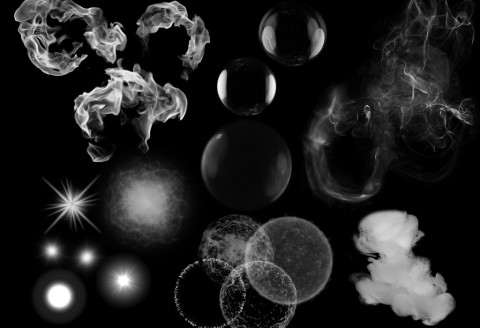
Alpha 39 is now released with a bunch of new features in the editor and more big updates to the library.
Sprite Sheet Export PostFX
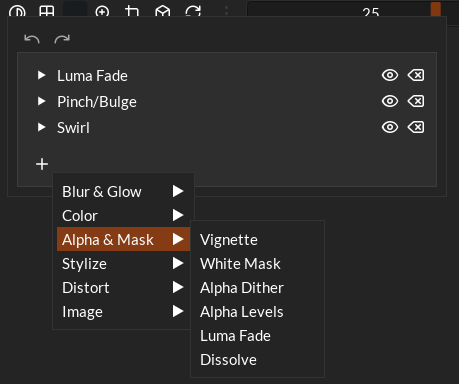
I’ve added a number new post effects to the sprite sheet exporter so that you can modify and tweak the effect before you export it as a sprite sheet. Currently there’s 24 post effects including blurs, colour adjustments, masks, stylising, distortions and image based masks and layers. Now now in this version these are free to use but when I release the beta (very close now!) I’ll be gating these behind a premium version. You’ll see be able to access all the post effects to see what they look like but they won’t be a part of the final export unless you purchase the pro license for the software.
Export Profiles
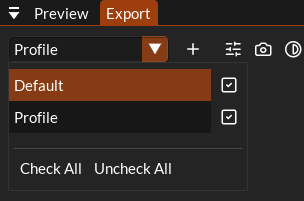
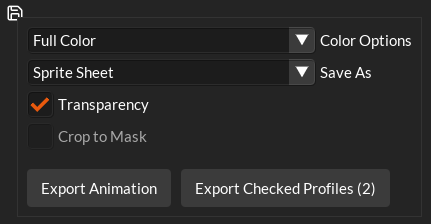
In addition to the post effects each effect now has export profiles where you can apply different export settings to the same effect. This allows you to set up different frame counts, post effects camera angles or whatever else you need over several profiles. You can then also export all profiles in a batch.
New Emission Type: Bitmap
There’s a new emission type that I’ve added called bitmap which lets you load a bitmap and use it as a mask to spawn particles at. I’ve been wanting to do this for a while as it’s great for doing effects like particles emitting from a spell symbols, text, branding, cracks glowing etc.
Shapes categories and renamed to images
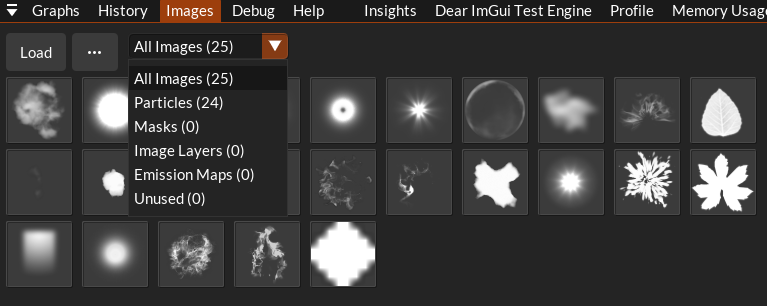
Following on from the bitmap emission type, because the images you load into the library can be used for multiple things now they are now automatically flagged with different categories based on how they’re used:
- Particles: Texturing particles and ribbons
- Masks: Used on the export tab for masking post effects
- Image Layer: Also used on the export tab for adding images to the animation
- Emission Maps: For the new bitmap emission type.
- Unused: For anything that’s unused
Library Changes
Single Shader
Originally the TimelineFX library example shaders used GLSL as the shader language because the editor render uses Vulkan. Given that the library is render agnostic this doesn’t make sense so now I’ve folded every shader into a single slang shader called timelinefx.slang. This shader can be used to compile every shader you need for all the major platforms: OpenGL, Vulkan, DX11, DX12, WebGPU and Metal. All shaders are included so vertex, fragment and compute shaders. See the shaders folder on github for all the details.
New implementations folder
I’ve also created an implementations folder that includes an example of how to implement for the following platforms:
- Metal
- OpenGL
- Vulkan
- DirectX 11
- DirectX 12
- WebGPU
- SDL3_GPU
- Sokol (documentation only)
Overtime I’d like to write similar examples/implementation for all of the popular 3d renderers.
There’s been a few more optimisations for the library too. Next up is more prep work for the beta release where the headline change will probably be the current layer system being utilised for drawing to different pipelines (like drawing to the depth buffer or custom pixel shaders) and ribbon trails would be cool to add too. I’ll also be cleaning up the library a bit to reduce the line count as much as I can.
Here’s the full list of changes this Alpha version:
- Setup beta version that will split features between paid/free version.
- Add all the same post fx that are in wispit to the sprite sheet exporter.
- Added new emission type to spawn at locations in a bitmap
- Fixed ribbons not looking correct in the export sprite sheet tab
- Investigate error when saving “Some files could not be saved, folder is incomplete”
- Added a tooltip over the Frames to Record on the sprite sheet export showing a preview of how the layout will look.
- Added a drop down to the sprite sheet settings that has a bunch of preset sprite sheet layout presets
- Cleanup some of the features like auto fit and seamless tiling.
- Optimised how particle arrays for CPU emitters are allocated and managed.
- Fixed a bug in sprite data playback where compressed data was incorrectly spawning particles in clumps.
- Folded all of the separate glsl shaders for timelinefx into a single timelinefx.slang file that can be used to compile all shaders used for timelinefx.
- Create a new timelineFX example in zest for GPU simulation.
- GPU emitters now restart if the required amount of particles in the buffer increases
- Minimal implementation examples for DX11, DX12, Vulkan, OpenGL, WebGPU, SDL3, Metal.